Everything you need to know in one easy-to-use
Exhibitor Manual
Everything you need to know in one easy-to-use Exhibitor Manual
Everything you need to know in one easy-to-use
Exhibitor Manual
Interactive A-Z
Your all-in-one show hub
Interactive A-Z
With Interactive A-Z, event managers can construct a comprehensive show knowledge base, consolidating all essential exhibitor information in one accessible platform.

Interactive A-Z
Your all-in-one show hub
Interactive A-Z
With Interactive A-Z, event managers can construct a comprehensive show knowledge base, consolidating all essential exhibitor information in one accessible platform.
Interactive A-Z
Your all-in-one show hub
Interactive A-Z
With Interactive A-Z, event managers can construct a comprehensive show knowledge base, consolidating all essential exhibitor information in one accessible platform.

Stakeholder access
Unlimited users gives exhibitors the option to add all their team members, agencies and contractors. Any exhibitor queries with direct links to the relevant manual elements.
Smart search
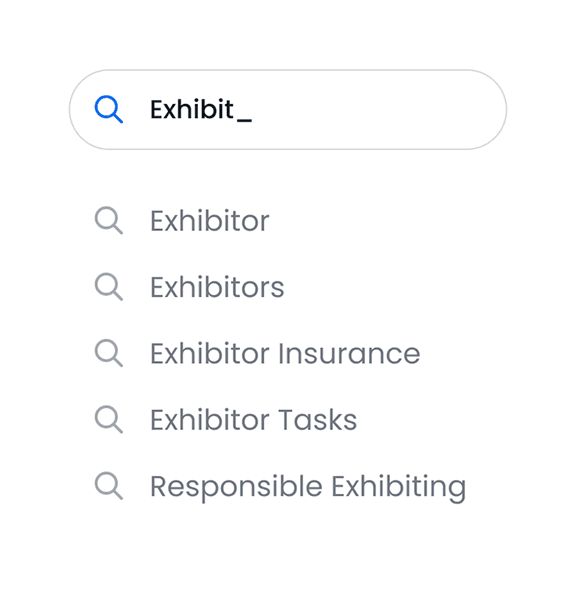
Finding answers quickly saves emails to your inbox. Exhibitors and sponsors can easily find answers to their questions with the smart search bar.

Personalised manual
Exhibitors, sponsors and partners only see the show information relevant to their participation. Reducing confusion and unnecessary workload on your customer.
Stakeholder access
Unlimited users gives exhibitors the option to add all their team members, agencies and contractors. Any exhibitor queries with direct links to the relevant manual elements.
Smart search
Finding answers quickly saves emails to your inbox. Exhibitors and sponsors can easily find answers to their questions with the smart search bar.
Personalised manual
Exhibitors, sponsors and partners only see the show information relevant to their participation. Reducing confusion and unnecessary workload on your customer.
Real-time Editor
Elevating the exhibitor experience
Real-time editor
The Real-time editor gives event organisers the ability to craft and update a dynamic show knowledge base instantly, ensuring exhibitors have access to the latest information.


Real-time Editor
Elevating the exhibitor experience
Real-time editor
The Real-time editor gives event organisers the ability to craft and update a dynamic show knowledge base instantly, ensuring exhibitors have access to the latest information.
Real-time Editor
Elevating the exhibitor experience
Real-time editor
The Real-time editor gives event organisers the ability to craft and update a dynamic show knowledge base instantly, ensuring exhibitors have access to the latest information.

Engage exhibitors
Need exhibitors to pay attention? Use video, imagery, floorplans and more within your show information. Get them engaged and use other forms of media to communicate technical or complex issues.

Highlight key info
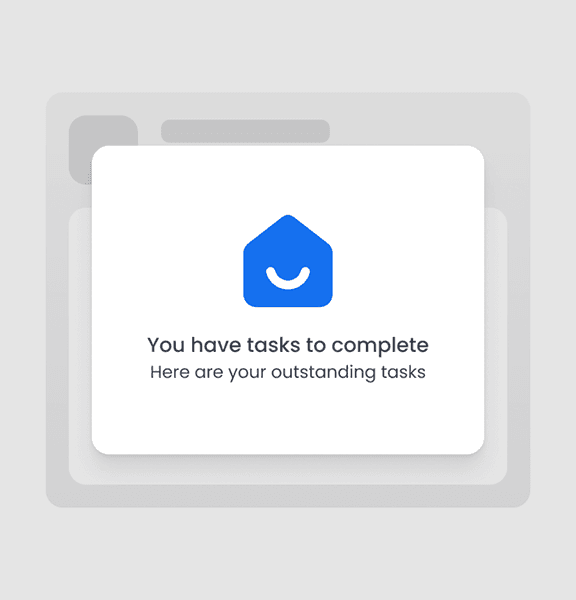
Keep getting the same question, or have some critical information? Simply pin the relevant show information to create an instant login pop up. Something that cannot be ignored!
Tasks to Show Info
Link directly from a Task to Show Info for common occuring questions or vital pre-show exhibitor intelligence.
Engage exhibitors
Need exhibitors to pay attention? Use video, imagery, floorplans and more within your show information. Get them engaged and use other forms of media to communicate technical or complex issues.
Highlight key info
Keep getting the same question, or have some critical information? Simply pin the relevant show information to create an instant login pop up. Something that cannot be ignored!
Tasks to Show Info
Link directly from a Task to Show Info for common occuring questions or vital pre-show exhibitor intelligence.
A powerful multi-show portal
for each stakeholder


Exhibitor Portal
Multi-show portal for Exhibitors
An all-in-one hub
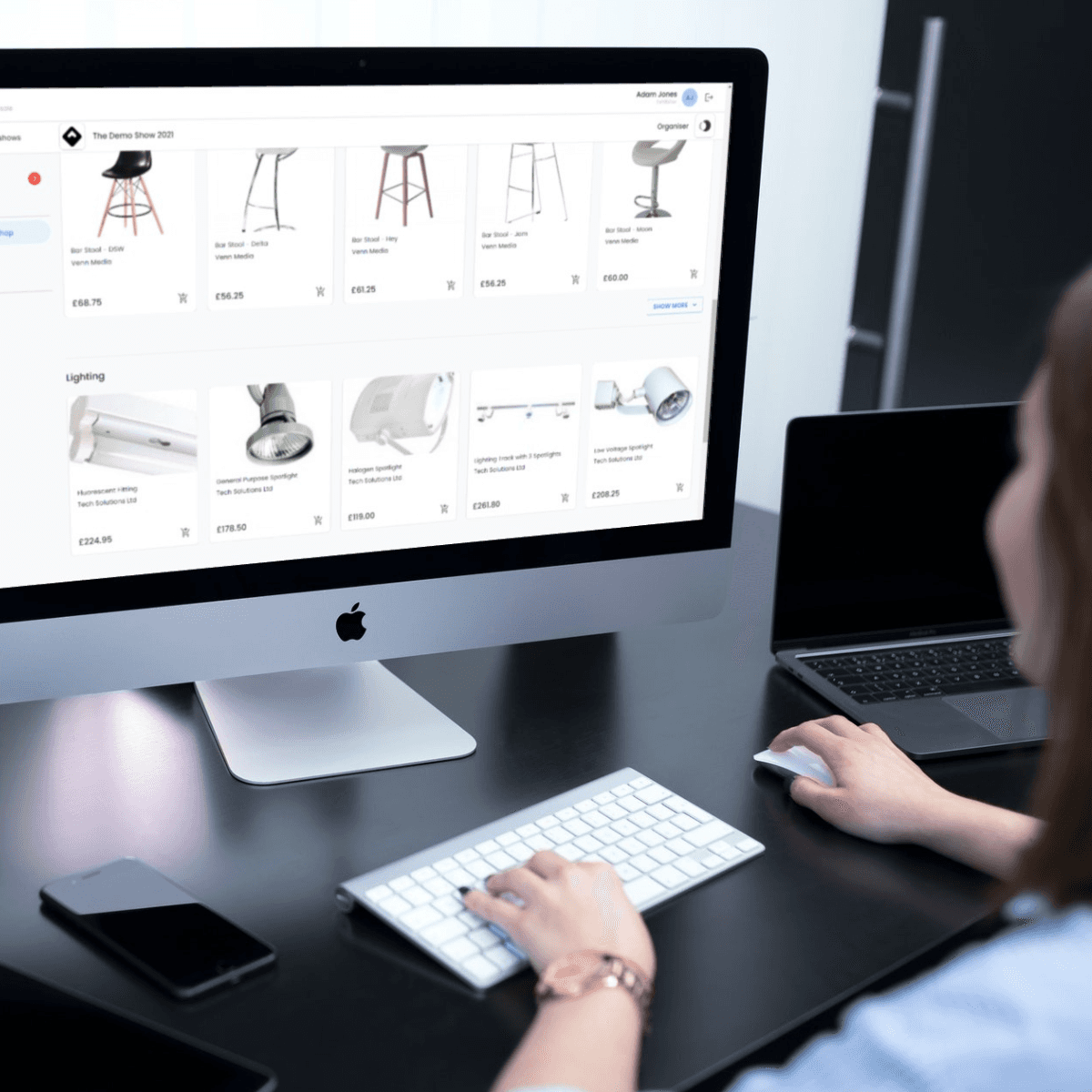
Featuring an intuitive dashboard, Tasks, Exhibitor Manual and Shop, the multi-show Exhibitor Portal is the all-in-one hub for exhibitors, providing unified access to past, present, and upcoming shows through a single login.

One simple dashboard
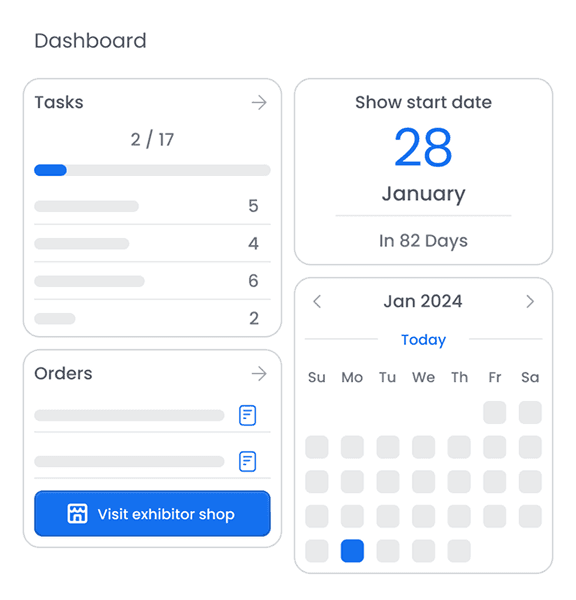
Centralising tasks, key dates and order overviews, the Exhibitor Dashboard seamlessly links to partner portals including via Single Sign-On (SSO), providing direct access to additional resources.
Custom branding
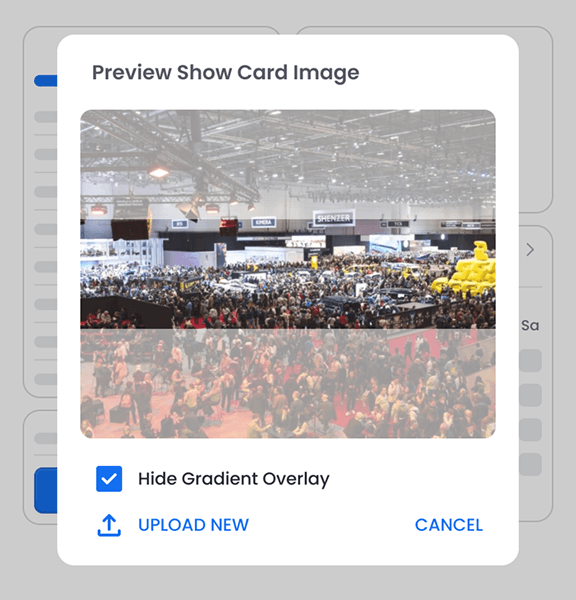
For a familiar look and feel, the Exhibitor Portal allows organisers to customise their show with a custom header and show icons.

Unlimited users
With enhanced collaboration and shared responsibility in mind, we offer unlimited users regardless of the user type, allowing exhibitors to invite colleagues and contractors without additional charges.
Organiser Portal
Seamless control for Organisers
Comprehensive management
The multi-show Organiser Portal offers comprehensive management of Tasks, Show Information via the Exhibitor Manual and Exhibition Shop, centralising control over key stakeholders—exhibitors, sponsors, speakers and contractors.



Multi-show management
With the Organiser Portal, one login provides access to all events, past and present, streamlining operations and ensuring cohesive event implementation.
Event customisation
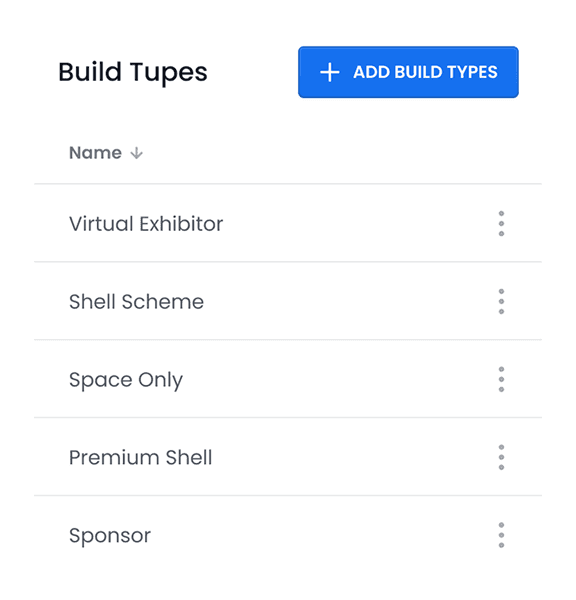
Unlimited Build/Persona Types, Package Types, and Custom Exhibitor Fields allow tailored event configurations and the cloning of shows replicates successful event structures in an instant.
User management
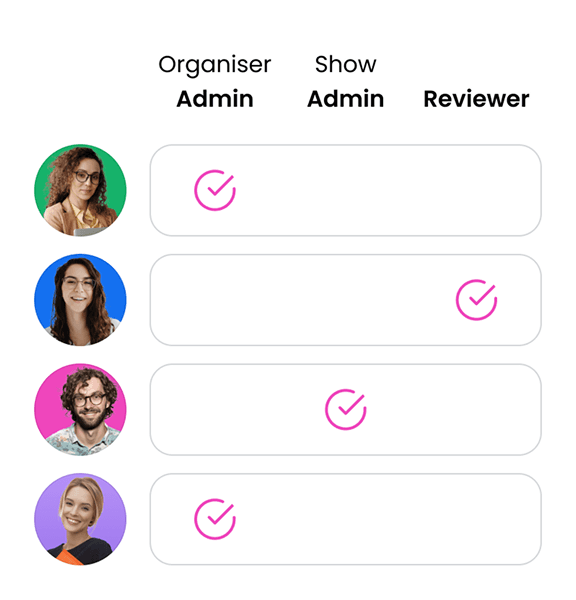
With three levels of user access and complete control over user management, managers can efficiently plan, organise and execute events in one easy-to-use portal.
Supplier Portal
Supercharged sales for Suppliers
Effortless product & order management
The Supplier Portal is a multi-show platform that allows suppliers to efficiently manage their product catalogue including stock, pricing, and descriptions centrally. Managing orders across multiple shows is a breeze with automated invoices and reporting.

Product management
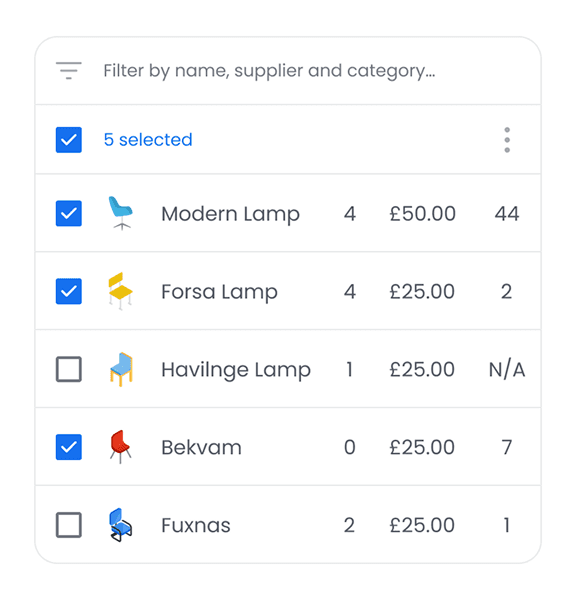
The Supplier Portal enables suppliers to set allocations and prices, with the flexibility to override settings at the show level. This streamlines stock and price management, ensuring products go out of stock once show allocations are sold.

Product showcase
Ensuring efficient order fulfilment, suppliers can enhance product listings with rich details, including descriptions, HD imagery, extras, options, documentation, suggested products, and fees.
Order management
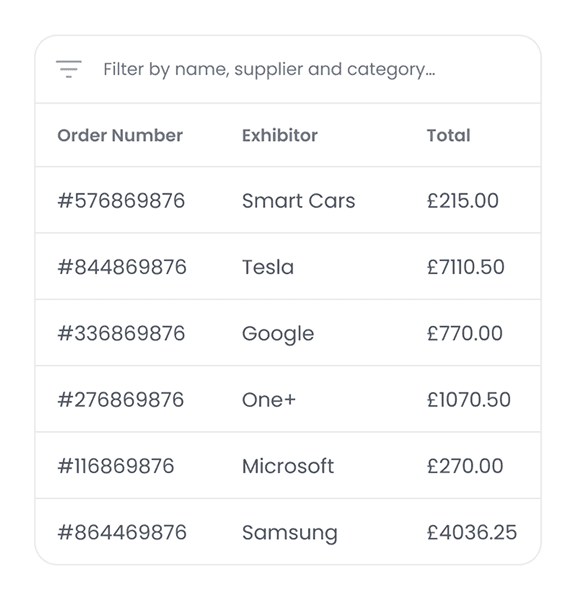
Orders are seamlessly managed with a comprehensive real-time view in FFAIR, where suppliers can share order progress, manage details, export orders or picking lists and consolidate all order-related information in one accessible platform
A powerful multi-show portal
for each stakeholder
Exhibitor Portal
Multi-show portal for Exhibitors
An all-in-one hub
Featuring an intuitive dashboard, Tasks, Exhibitor Manual and Shop, the multi-show Exhibitor Portal is the all-in-one hub for exhibitors, providing unified access to past, present, and upcoming shows through a single login.
One simple dashboard
Centralising tasks, key dates and order overviews, the Exhibitor Dashboard seamlessly links to partner portals including via Single Sign-On (SSO), providing direct access to additional resources.
Custom branding
For a familiar look and feel, the Exhibitor Portal allows organisers to customise their show with a custom header and show icons.
Unlimited users
With enhanced collaboration and shared responsibility in mind, we offer unlimited users regardless of the user type, allowing exhibitors to invite colleagues and contractors without additional charges.
Organiser Portal
Seamless control for Organisers
Comprehensive management
The multi-show Organiser Portal offers comprehensive management of Tasks, Show Information via the Exhibitor Manual and Exhibition Shop, centralising control over key stakeholders—exhibitors, sponsors, speakers and contractors.
Multi-show management
With the Organiser Portal, one login provides access to all events, past and present, streamlining operations and ensuring cohesive event implementation.
Event customisation
Unlimited Build/Persona Types, Package Types, and Custom Exhibitor Fields allow tailored event configurations and the cloning of shows replicates successful event structures in an instant.
User management
With three levels of user access and complete control over user management, managers can efficiently plan, organise and execute events in one easy-to-use portal.
Supplier Portal
Supercharged sales for Suppliers
Effortless product & order management
The Supplier Portal is a multi-show platform that allows suppliers to efficiently manage their product catalogue including stock, pricing, and descriptions centrally. Managing orders across multiple shows is a breeze with automated invoices and reporting.
Product management
The Supplier Portal enables suppliers to set allocations and prices, with the flexibility to override settings at the show level. This streamlines stock and price management, ensuring products go out of stock once show allocations are sold.
Product showcase
Ensuring efficient order fulfilment, suppliers can enhance product listings with rich details, including descriptions, HD imagery, extras, options, documentation, suggested products, and fees.
Order management
Orders are seamlessly managed with a comprehensive real-time view in FFAIR, where suppliers can share order progress, manage details, export orders or picking lists and consolidate all order-related information in one accessible platform
A powerful multi-show portal
for each stakeholder
Exhibitor Portal
Multi-show portal for Exhibitors
An all-in-one hub
Featuring an intuitive dashboard, Tasks, Exhibitor Manual and Shop, the multi-show Exhibitor Portal is the all-in-one hub for exhibitors, providing unified access to past, present, and upcoming shows through a single login.
One simple dashboard
Centralising tasks, key dates and order overviews, the Exhibitor Dashboard seamlessly links to partner portals including via Single Sign-On (SSO), providing direct access to additional resources.
Custom branding
For a familiar look and feel, the Exhibitor Portal allows organisers to customise their show with a custom header and show icons.
Unlimited users
With enhanced collaboration and shared responsibility in mind, we offer unlimited users regardless of the user type, allowing exhibitors to invite colleagues and contractors without additional charges.
Organiser Portal
Seamless control for Organisers
Comprehensive management
The multi-show Organiser Portal offers comprehensive management of Tasks, Show Information via the Exhibitor Manual and Exhibition Shop, centralising control over key stakeholders—exhibitors, sponsors, speakers and contractors.
Multi-show management
With the Organiser Portal, one login provides access to all events, past and present, streamlining operations and ensuring cohesive event implementation.
Event customisation
Unlimited Build/Persona Types, Package Types, and Custom Exhibitor Fields allow tailored event configurations and the cloning of shows replicates successful event structures in an instant.
User management
With three levels of user access and complete control over user management, managers can efficiently plan, organise and execute events in one easy-to-use portal.
Supplier Portal
Supercharged sales for Suppliers
Effortless product & order management
The Supplier Portal is a multi-show platform that allows suppliers to efficiently manage their product catalogue including stock, pricing, and descriptions centrally. Managing orders across multiple shows is a breeze with automated invoices and reporting.
Product management
The Supplier Portal enables suppliers to set allocations and prices, with the flexibility to override settings at the show level. This streamlines stock and price management, ensuring products go out of stock once show allocations are sold.
Product showcase
Ensuring efficient order fulfilment, suppliers can enhance product listings with rich details, including descriptions, HD imagery, extras, options, documentation, suggested products, and fees.
Order management
Orders are seamlessly managed with a comprehensive real-time view in FFAIR, where suppliers can share order progress, manage details, export orders or picking lists and consolidate all order-related information in one accessible platform
Start a new era of exhibitor management today
Book a demo
Start a new era of exhibitor management today
Book a demo
The ultimate self-service
Exhibitor & Sponsor Management Platform

2024
US & CANADA
BEST EXHIBITION TECHNOLOGY
&
LONDON
BEST CHIEF TECHNOLOGY OFFICER
The ultimate self-service. Exhibitor Management Platform.
2024
US & CANADA
BEST EXHIBITION TECHNOLOGY
&
LONDON
BEST CHIEF TECHNOLOGY OFFICER
The ultimate self-service
Exhibitor & Sponsor Management Platform
2024
US & CANADA
BEST EXHIBITION TECHNOLOGY
&
LONDON
BEST CHIEF TECHNOLOGY OFFICER